Why the plugin has no quantity condition is explained in Limits and workarounds.
Sometimes shipping should depend on how many items are in the cart, not how much they weigh: a fee per item, price steps for larger orders, a bulk discount. WooCommerce doesn't offer an item-count condition for shipping, but weight rules turn into quantity rules with one simple trick.
The trick Make weight mean quantity
Set the Weight of every product to exactly 1 (Product data → Shipping → Weight on the product edit page). The total cart weight then equals the number of items in the cart, and every weight-based rule below effectively counts items. The "kg" you'll see in the settings are really items — the store weight unit is just a label.
The trick assumes real weights don't matter for your pricing. If some products need genuine weight-based rates, keep their true weights and use quantity rules for the rest via product shipping classes.
Scenario A Fee per item
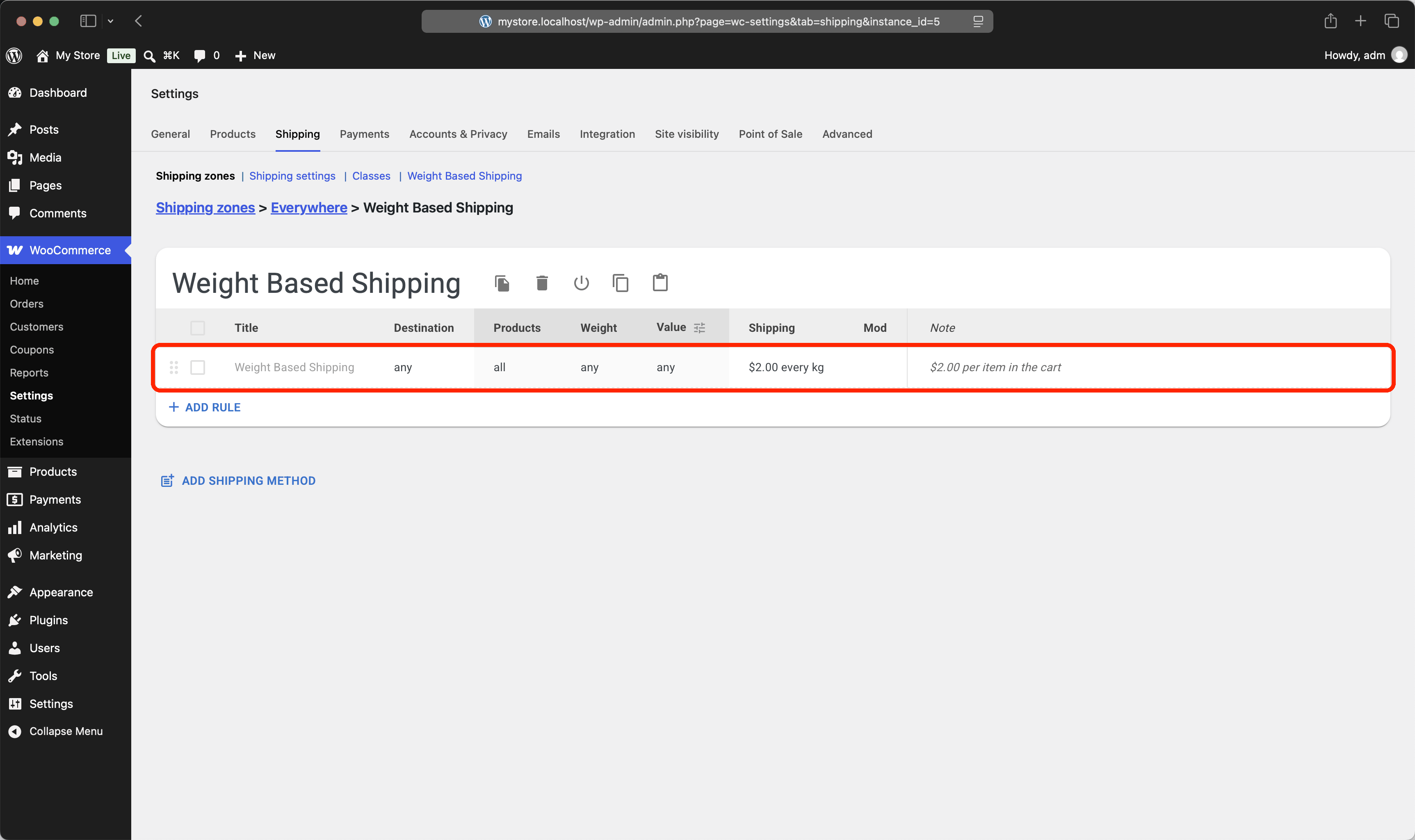
A single rule with a per-"kg" rate charges shipping per item: the cost is the same for every unit, whatever the order size.
Example #1
Cart: 3 items.
Result: 3 × $2.00 = $6.00.
Scenario B Quantity brackets
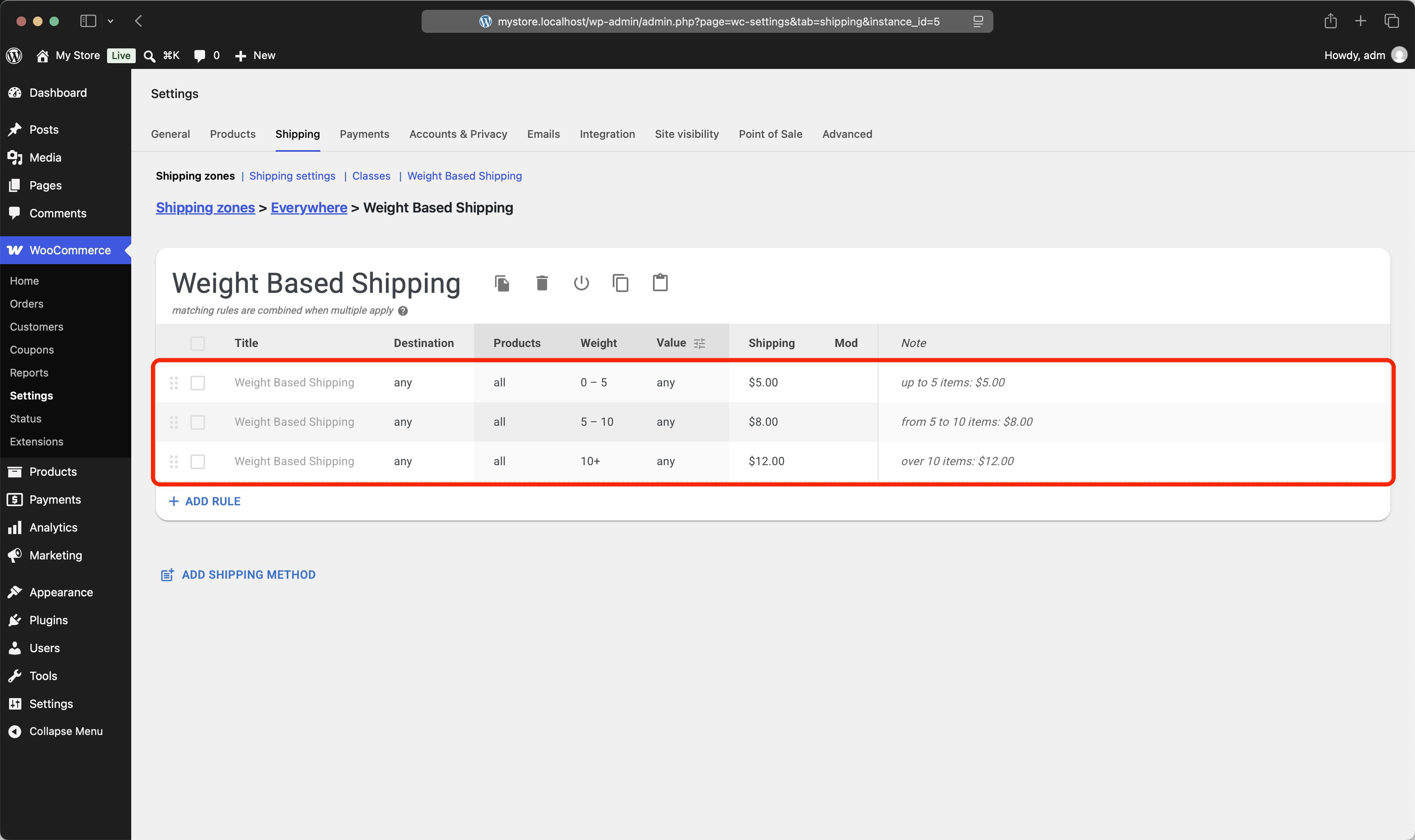
Fixed prices for order size ranges: small, medium, and large orders each get their own rate.
Example #1
Cart: 7 items.
Result: 7 falls into the 5–10 bracket, so shipping costs $8.00.
Example #2
Cart: 14 items.
Result: 14 is over 10, so shipping costs $12.00.
Scenario C Bulk pricing
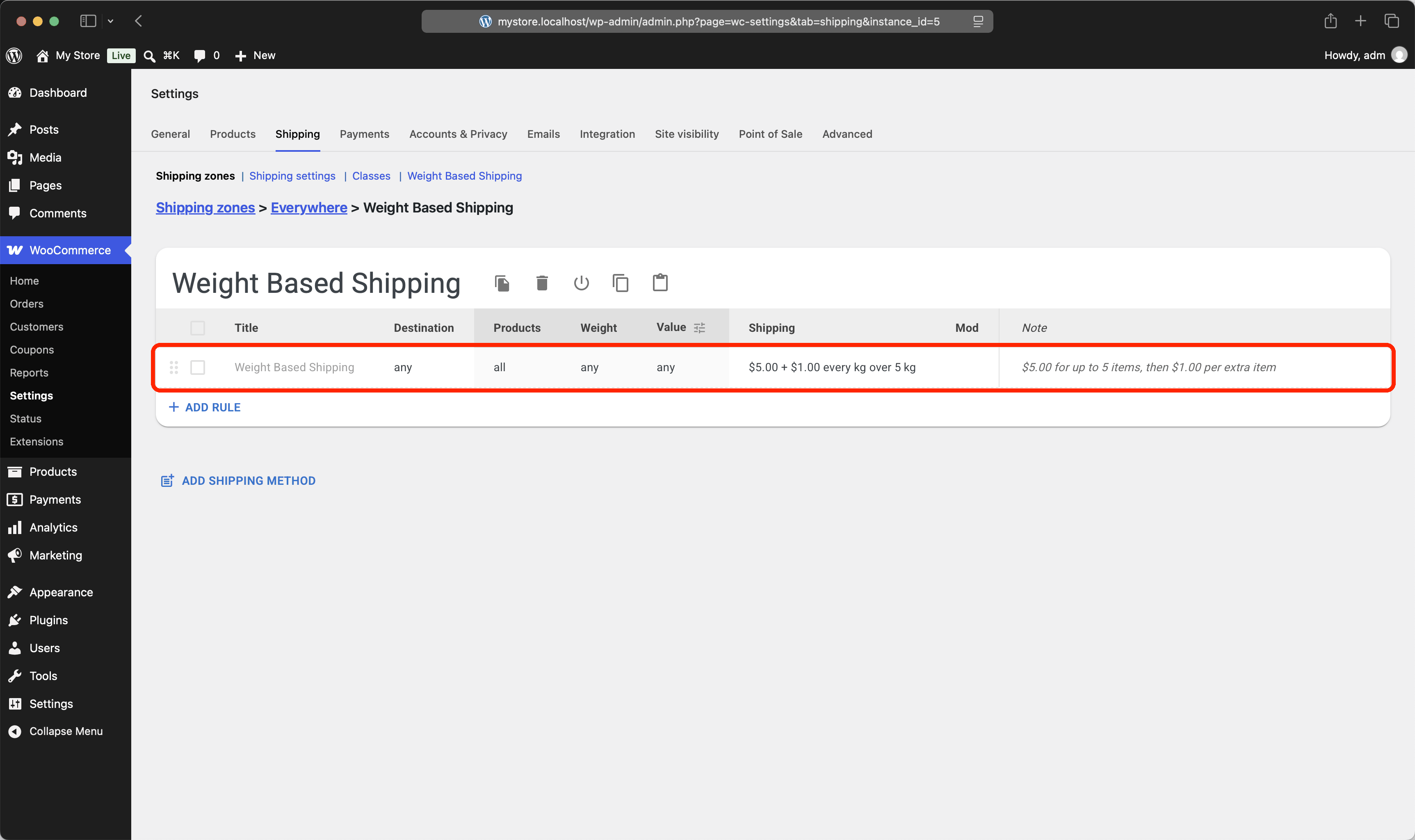
A flat price for typical orders, plus a per-item surcharge for oversized ones: the rule charges $5.00 for the first 5 items, then $1.00 for each item over.
Example #1
Cart: 4 items.
Result: within the first 5, so shipping costs $5.00.
Example #2
Cart: 9 items.
Result: $5.00 + 4 × $1.00 = $9.00.