The pricing kinds used below are documented in Shipping charges.
Charging for delivery by the total cart weight is the most natural shipping model for physical goods: the heavier the parcel, the more it costs to send. Here is how to calculate shipping costs by weight in a WooCommerce store — as weight brackets, as a per-kilogram price, or as a mix of both. The examples below use kilograms, but the plugin works in whatever weight unit your store is configured with — kg, g, lbs, or oz.
Scenario A Weight brackets
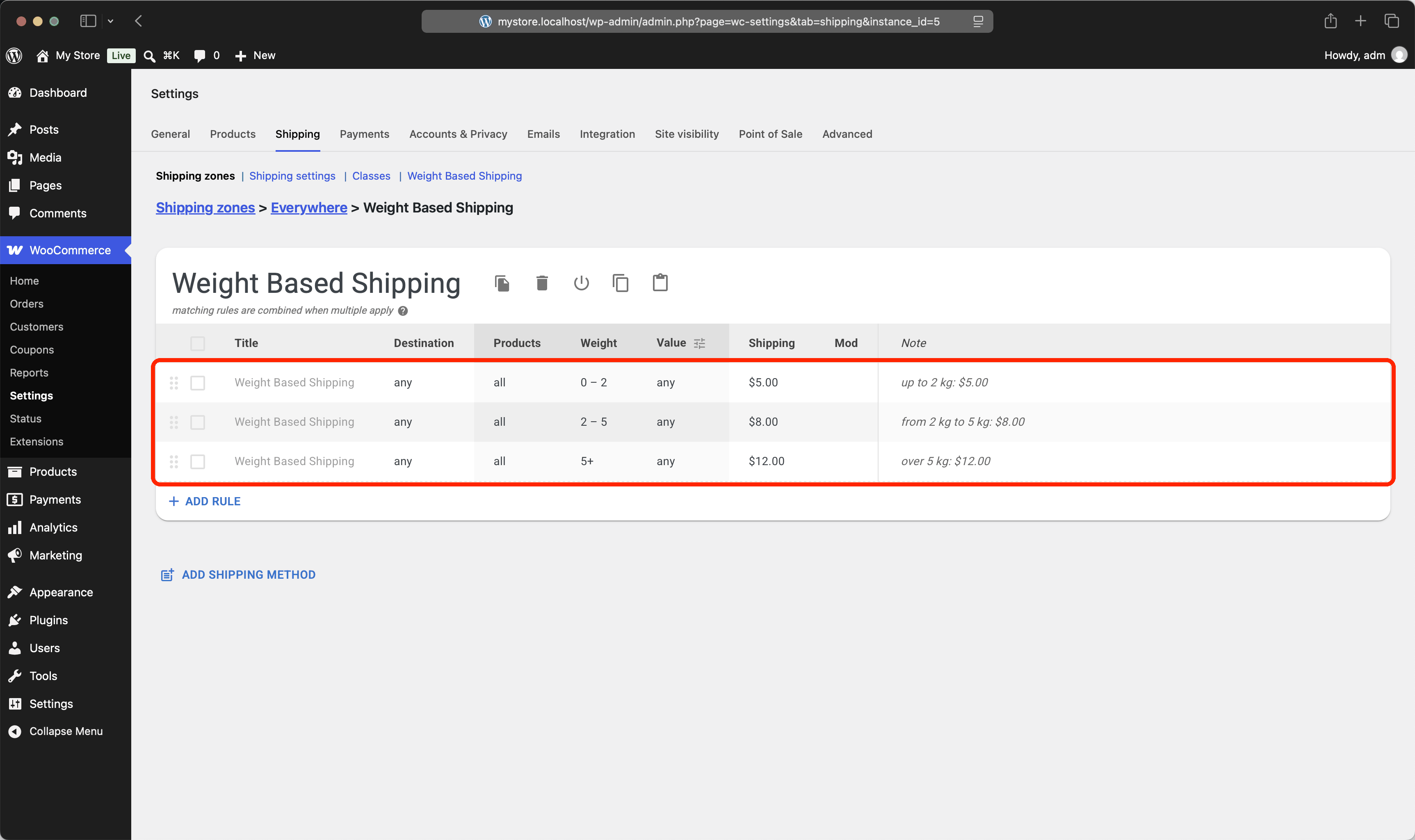
The table-rate classic: split the weight scale into brackets and give each one a flat rate. Every rule matches its own weight range and charges a fixed amount, so exactly one rule applies to any given cart.
Example #1
Cart: 4 kg.
Result: 4 kg falls into the 2–5 kg bracket, so shipping costs $8.00.
Example #2
Cart: 6.5 kg.
Result: 6.5 kg is over 5 kg, so shipping costs $12.00.
Scenario B Price per kilogram
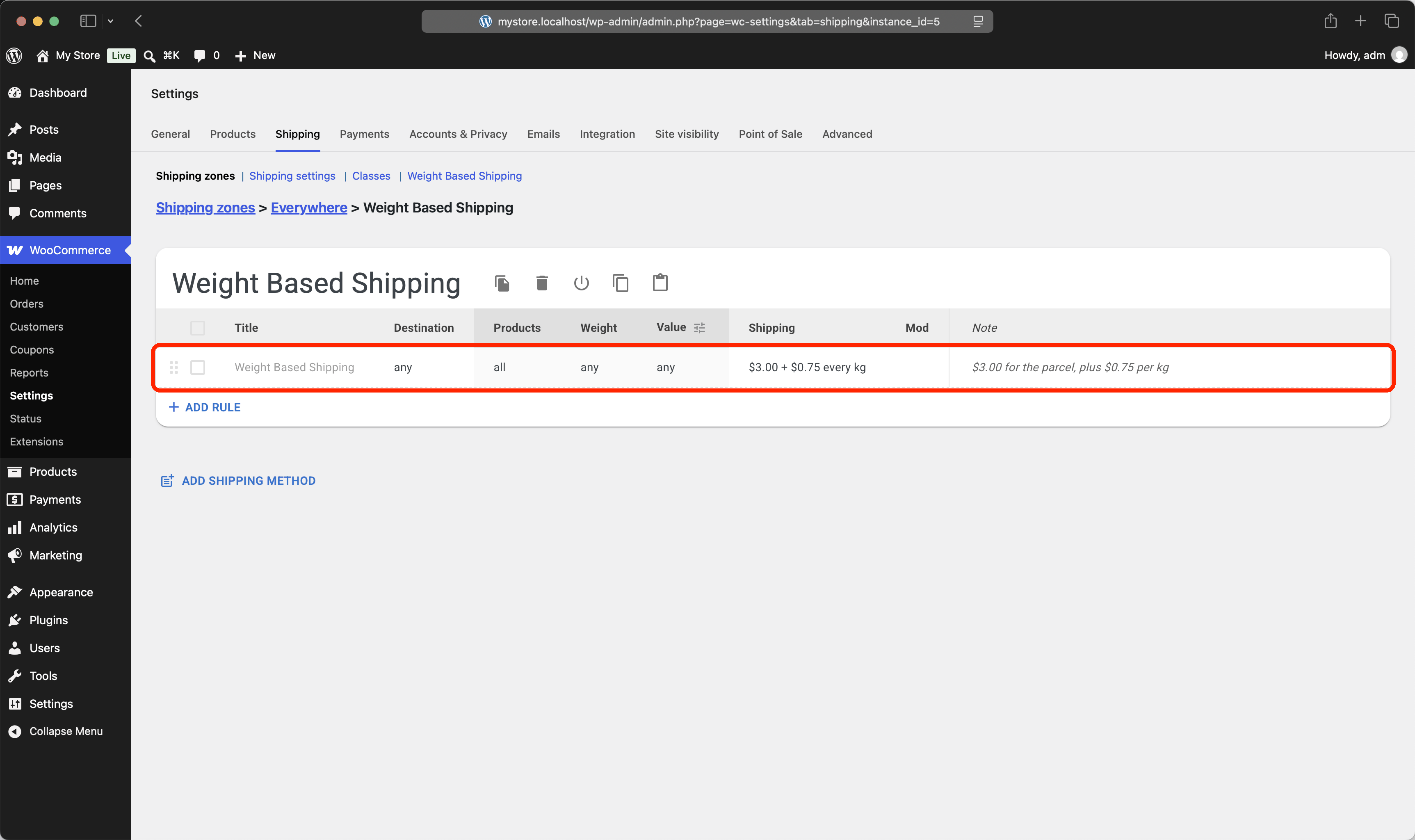
Instead of maintaining a bracket table, charge a base price for the parcel plus a fixed amount for every kilogram in it. A single rule covers any cart weight, and the price grows linearly.
Example #1
Cart: 4 kg.
Result: $3.00 base + 4 × $0.75 = $6.00.
Example #2
Cart: 10 kg.
Result: $3.00 base + 10 × $0.75 = $10.50.
Scenario C Brackets plus a per-kg rate
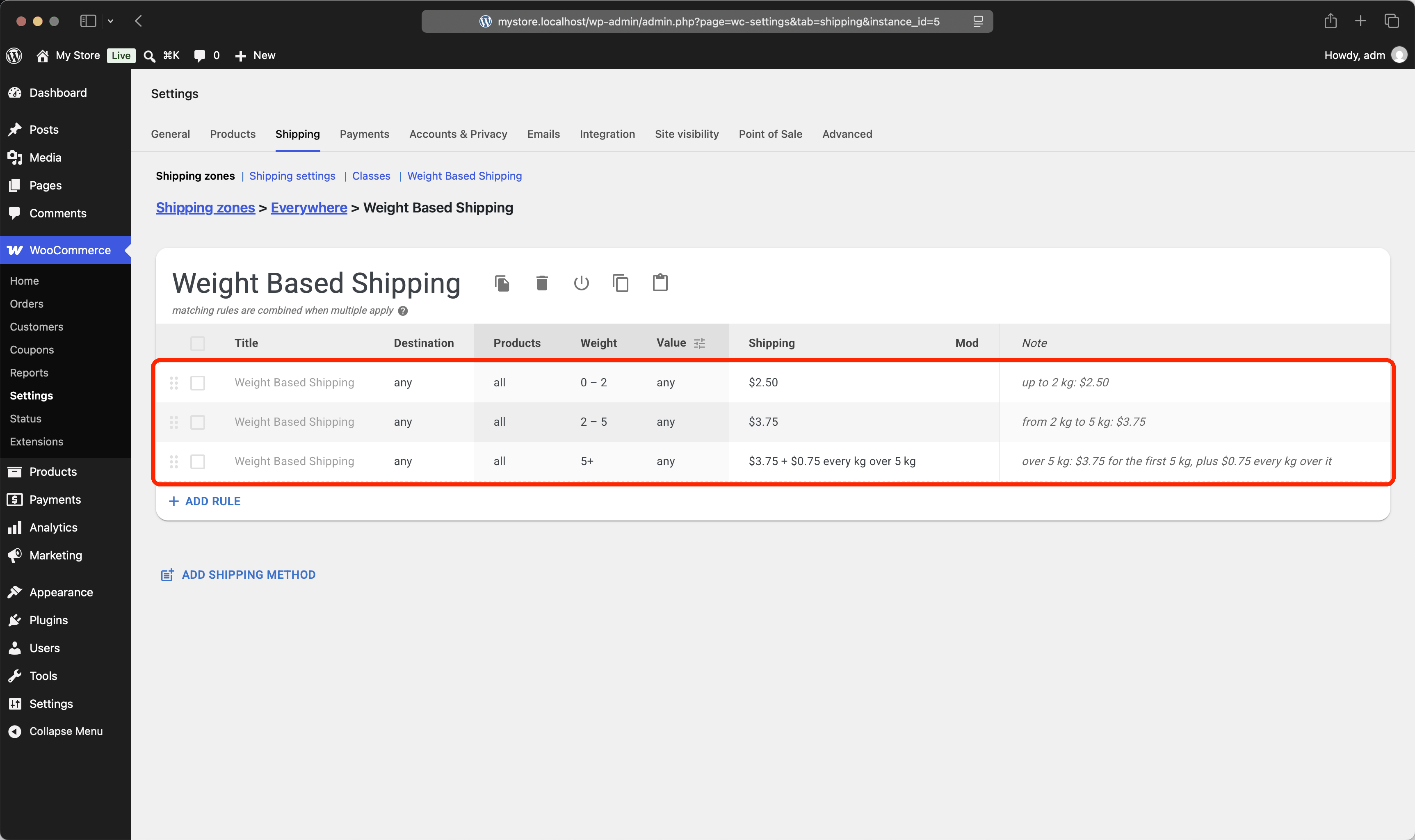
The two approaches combine well: keep fixed prices for typical parcels and switch to per-kilogram pricing once the weight leaves the last bracket. The final rule charges its base price for the first 5 kg, then adds $0.75 for every kilogram over it.
Example #1
Cart: 3 kg.
Result: 3 kg falls into the 2–5 kg bracket, so shipping costs $3.75.
Example #2
Cart: 8 kg.
Result: $3.75 for the first 5 kg + 3 × $0.75 for the rest = $6.00.